
Play 2048 (WASM-4) Online in Your Browser
Play 2048 (WASM-4)
Arrow keys Slide tiles
How to play 2048 (WASM-4) in your browser
Click Play Game above, then click inside the game to give it keyboard focus. Use Fullscreen for more room.
- Press Play Game and click the game canvas to focus it.
- Use the arrow keys to slide tiles across the board. Equal tiles merge when they meet.
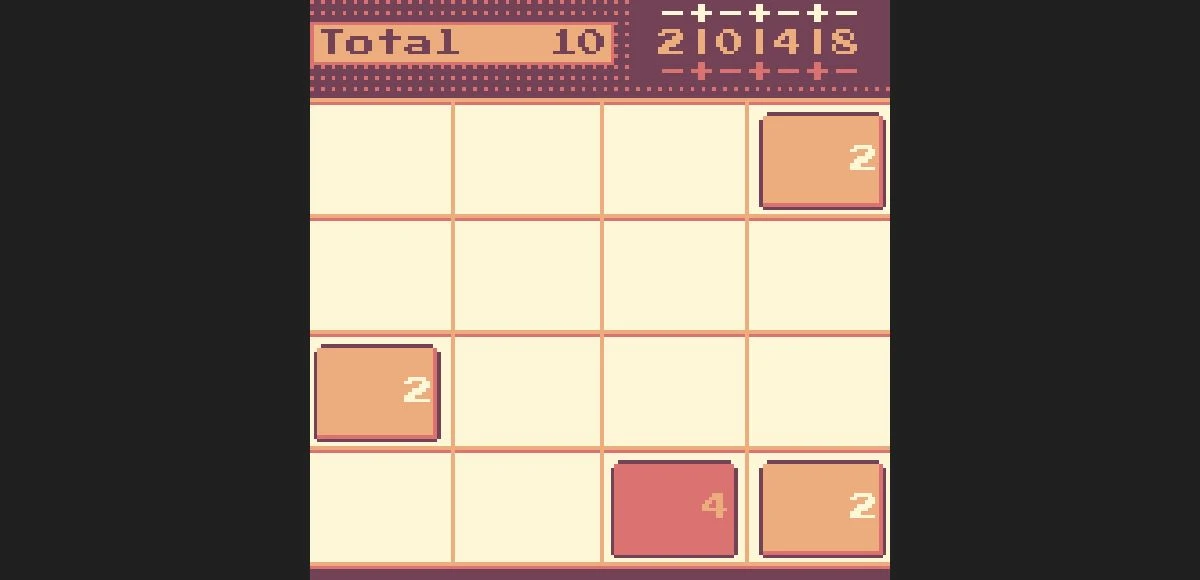
- Continue using the arrow keys to slide tiles and make merges. The checked board responded to Left, Down and Right.
2048 (WASM-4) keyboard controls
- Slide tiles
- Arrow keys
2048 (WASM-4) not loading or controls not responding?
- Click the game canvas before using the keyboard.
- Use a current desktop browser supporting WebAssembly. Reload the player if it fails to load.
- Desktop Chrome core play was checked locally. Mobile, audio output, saved progress and production-origin play remain unverified.
If the embedded game stays blank, reload the player or try the source page in a new tab.
Open game sourceBrowser version, game files and saves
- Version
- 2048 (WASM-4) native fantasy-console cart
- Access
- Free core play in the tested official gallery embed. This is an independent WASM-4 implementation, not a retail-game emulator.
- Resources
- The source supplies the WebAssembly cart and runtime when Play is pressed. Arcadle does not host the game binary.
- Account
- No account or payment was requested in the tested session.
- Storage and saves
- The official embed specifies a disk prefix. Save persistence, cross-origin storage and exports were not tested.
Game source and WebAssembly runtime
Runtime: Native WebAssembly cart / WASM-4 · Download WASM cartridge
- Peter Hellberg WASM-4 cart creator credited by the official gallery
- WASM-4 WebAssembly fantasy console and official embed host
Browser, mobile and controller compatibility
Last checked . Compatibility notes apply to this browser version.
- Desktop ChromeTested
AI-operated macOS Chrome local iframe core gameplay; mobile, audio output, persistence and production origin not checked.
2048 (WASM-4) browser game FAQ
How do I start 2048 in the browser?
Click Play Game and click the board to focus it, then use the arrow keys. There is no account or payment step in the checked WASM-4 session.
Which keys move the 2048 tiles?
Use the arrow keys to slide tiles. The local check verified movement and a merge that produced a 4 tile. New tiles also appeared as the board changed.
Why are my arrow keys scrolling the page?
Click the game canvas before pressing the arrow keys. Fullscreen gives the game more space. If the board does not load, use Reload or open its official WASM-4 source page.