
Play Snake (WASM-4) Online in Your Browser
Play Snake (WASM-4)
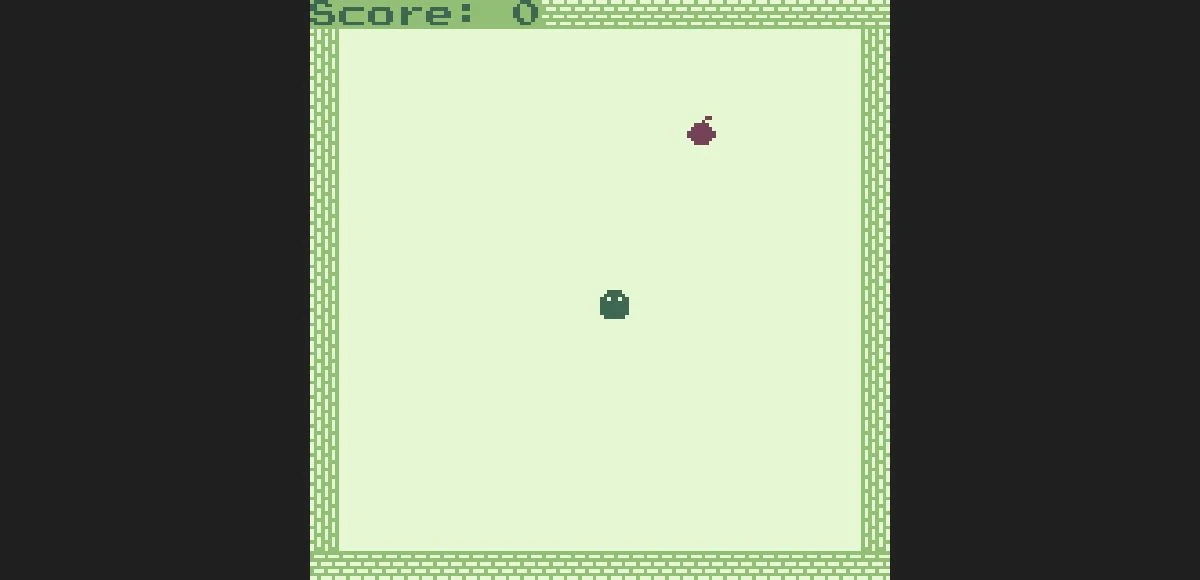
Arrow keys SteerX Restart after game over
How to play Snake (WASM-4) in your browser
Click Play Game above, then click inside the game to give it keyboard focus. Use Fullscreen for more room.
- Press Play Game and click the canvas to focus the game.
- Use arrow keys to steer toward food while avoiding the boundary.
- After GAME OVER, press X to start a new run.
Snake (WASM-4) keyboard controls
- Steer
- Arrow keys
- Restart after game over
- X
Snake (WASM-4) not loading or controls not responding?
- Click the game canvas before using the keyboard.
- Use a current desktop browser supporting WebAssembly. Reload the player if it fails to load.
- Desktop Chrome core play was checked locally. Mobile, audio output, saved progress and production-origin play remain unverified.
If the embedded game stays blank, reload the player or try the source page in a new tab.
Open game sourceBrowser version, game files and saves
- Version
- Snake (WASM-4) native fantasy-console cart
- Access
- Free core play in the tested official gallery embed. This is an independent WASM-4 implementation, not a retail-game emulator.
- Resources
- The source supplies the WebAssembly cart and runtime when Play is pressed. Arcadle does not host the game binary.
- Account
- No account or payment was requested in the tested session.
- Storage and saves
- The official embed specifies a disk prefix. Save persistence, cross-origin storage and exports were not tested.
Game source and WebAssembly runtime
Runtime: Native WebAssembly cart / WASM-4 · Download WASM cartridge
- Tomas Tulka WASM-4 cart creator credited by the official gallery
- WASM-4 WebAssembly fantasy console and official embed host
Browser, mobile and controller compatibility
Last checked . Compatibility notes apply to this browser version.
- Desktop ChromeTested
AI-operated macOS Chrome local iframe core gameplay; mobile, audio output, persistence and production origin not checked.
Snake (WASM-4) browser game FAQ
How do I start this Snake browser game?
Click Play Game, click inside the canvas and use the arrow keys to steer. No account or payment was requested in the checked WASM-4 session.
How do I restart after GAME OVER?
Press X after the GAME OVER / press X message. The local check verified that X starts a fresh board with Score 0.
Why did my Snake run end?
A collision with the left boundary ended the checked run. In that session, collecting food increased Score from 0 to 2; reaching the boundary displayed GAME OVER. Pressing X then started a fresh board.