
Play Half-Life: Uplink Demo Online in Your Browser
Play Half-Life: Uplink
W / S or Up / Down Move forward / backA / D StrafeLeft / Right Turn
How to play Half-Life: Uplink in your browser
Click Play Game above, then click inside the game to give it keyboard focus. Use Fullscreen for more room.
- Press Play Game, select Uplink (45M) in WebXash and press Start Demo. Wait for the engine and demo to load.
- Choose New game and a difficulty; Easy was used for the local check. Wait for the opening sequence to finish.
- Click the game to focus it, then use W/S to move and arrow keys to turn. F toggles the flashlight. The Controls menu lists additional bindings.
Half-Life: Uplink keyboard controls
- Move forward / back
- W / S or Up / Down
- Strafe
- A / D
- Turn
- Left / Right
- Look up / down
- Page Up / Page Down
- Use / interact
- E
- Flashlight
- F
- Jump
- Space
- Pause
- Esc
Half-Life: Uplink not loading or controls not responding?
- Select Uplink before pressing Start Demo; the button stays disabled until a demo is selected. Open game Folder and Open ZIP are separate flows for your own game files.
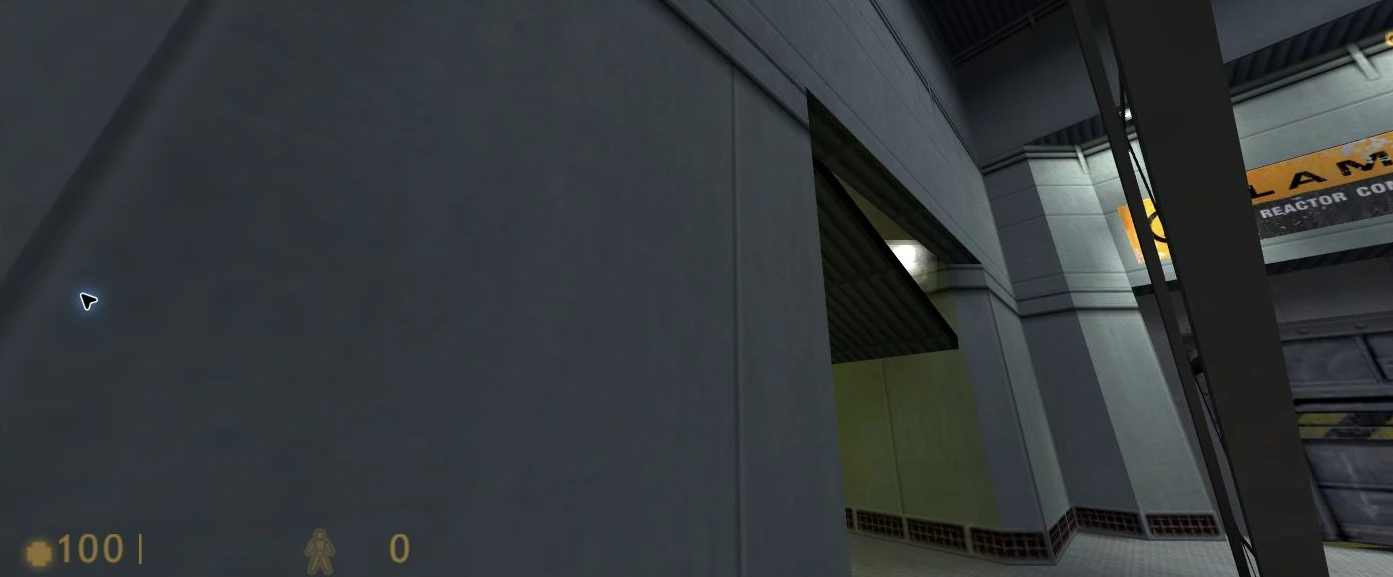
- The local check showed a tilted view and abrupt mouse-look changes. Keyboard turning and Page Up/Page Down produced visible feedback; compatibility is limited to the tested controls.
- Use the in-game Controls menu to inspect bindings. Avoid Ctrl+W in a normal browser window: the project notes that this browser shortcut may close the tab.
- Only introductory movement, view changes, flashlight and pause/menu controls were checked. Combat, completion, save transfer, multiplayer and mobile play remain unverified.
If the embedded game stays blank, reload the player or try the source page in a new tab.
Open game sourceBrowser version, game files and saves
- Version
- Half-Life: Uplink demo through WebXash
- Access
- Choose Uplink (45M) in the embedded WebXash launcher, then Start Demo. This entry covers the Uplink demo only. Full Half-Life and Counter-Strike require your own legally obtained game files and were not tested.
- Resources
- The launcher labels the Uplink demo download as 45M. Browser engine and supporting files load in addition. Arcadle embeds the source player and does not host its game binaries or demo resources.
- Account
- No account, payment or personal game-file upload was requested for the tested Uplink demo.
- Storage and saves
- WebXash documents IndexedDB saves and a save download manager. Save/load and export were not tested. Embedded storage may be partitioned; do not assume saves transfer between the source tab, local preview and production.
Game source and WebAssembly runtime

Runtime: Xash3D-FWGS engine / WebAssembly · View engine project
- Valve Original Half-Life and Uplink demo creator
- x8BitRain / WebXash Browser frontend and demo launcher
- Xash3D FWGS Upstream game engine; WebXash provides the browser frontend
Browser, mobile and controller compatibility
Last checked . Compatibility notes apply to this browser version.
- Desktop ChromeTested
AI-operated local iframe check on macOS Chrome: demo startup, corridor movement, keyboard view controls, flashlight and pause menu. A tilted view was visible. Combat, saves, completion, audio output and production-origin play were not tested.
- Phones and tabletsNot verified
Not tested. The WebXash project recommends a keyboard and mouse for this port.
Half-Life: Uplink browser game FAQ
How do I start the Half-Life: Uplink browser demo?
Click Play Game, select Uplink (45M) in WebXash and press Start Demo. The button is disabled until you select a demo. After loading, choose New game and a difficulty; Easy was used in the local check.
Is this the complete Half-Life game or Counter-Strike?
This page covers the Uplink demo only. The Open game Folder and Open ZIP options are separate routes for your own legally obtained game files. Full Half-Life and Counter-Strike were not checked here.
How do I move and fix an awkward camera angle?
Use W/S to move, A/D to strafe, Left/Right to turn and Page Up/Page Down to look vertically. F toggles the flashlight and Esc pauses. A tilted view appeared in the local check; keyboard view controls produced visible feedback.
Can I save or move my Uplink progress to another device?
WebXash documents IndexedDB saves and a save download manager, but save/load and export were not tested. Embedded and source-tab storage can differ. Do not assume progress automatically follows you to another browser or device.